veggie rescue
Developing a dashboard that enables staff to
effortlessly track deliveries and plan food distribution.
context
Bring delivery records into one place so staff can see who has received food and plan what comes next.
Veggie Rescue collects surplus food from local farms and businesses and delivers it to nonprofits serving people facing food insecurity. They coordinate with approximately 55 farms and suppliers and 70 nonprofit organizations.
My team and I developed a web dashboard connected to their existing Google Sheets records. I implemented the dashboard, Sheets integration, and delivery recommendation features, and coordinated requirements and development.
problem
Drivers recorded deliveries through Jotform and Google Sheets, but staff still had to manually organize records and compare what each nonprofit needed. Seeing who had been waiting, how much food they had received, and how often they received deliveries took extra work.
Delivery history was only part of the decision. Staff also had to account for storage, food types, schedules, and location. The dashboard needed to make the records easier to use while leaving those decisions with the people who know the community.
my role
I improved the dashboard and staff access page, adding search, column sorting, mobile table scrolling, and loading, error, and empty states. If a refresh fails while saved records are available, the interface can keep showing those records with a warning.
After speaking with David, the nonprofit stakeholder, I proposed a queue of five organizations that might need a delivery. He asked for a way to dismiss suggestions. I translated that feedback into frontend requirements and coordinated the work.
I built the scoring algorithm, connected the dashboard to Google Sheets, developed the queue interface, and refactored the table components.
solution
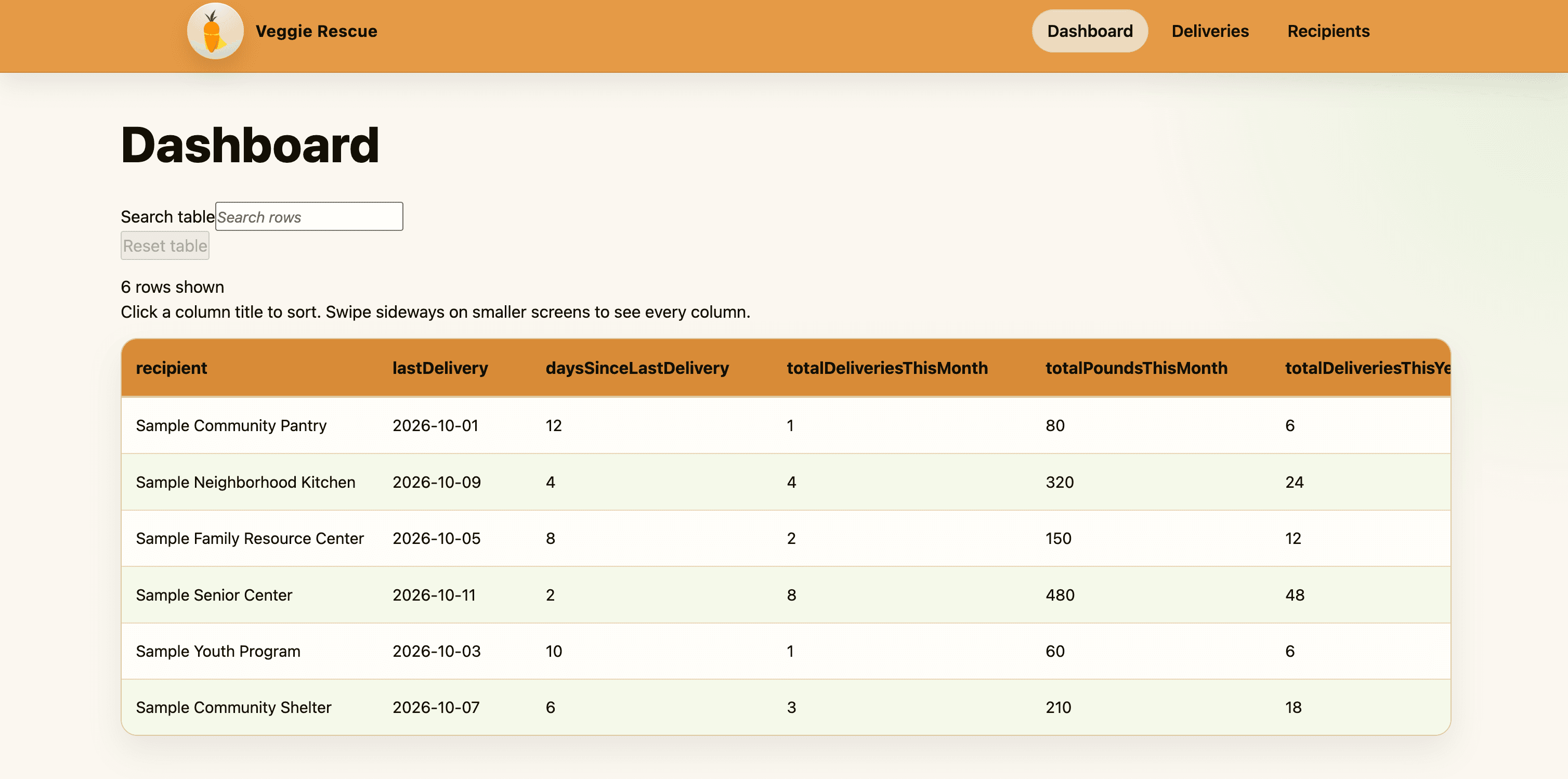
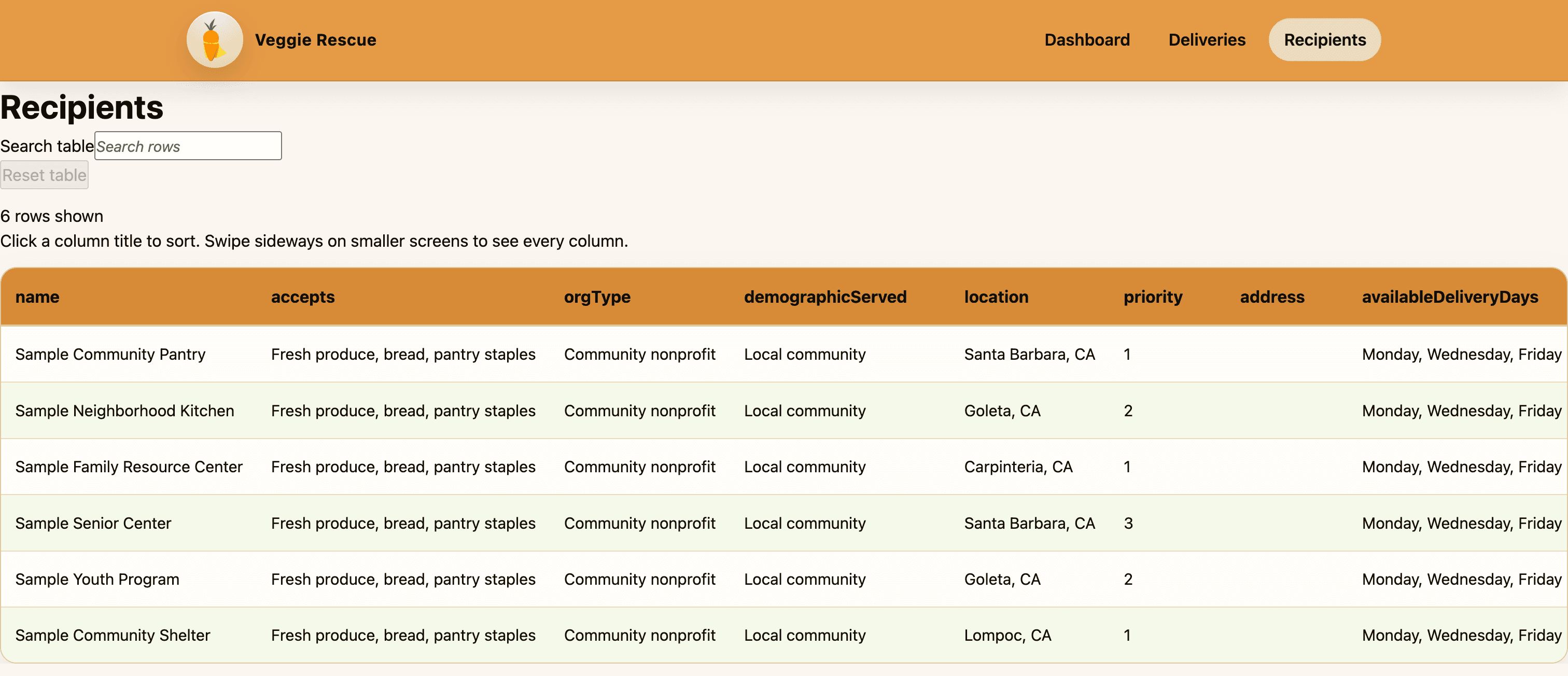
Searchable delivery and recipient records
The dashboard brings together last delivery dates, delivery counts, pounds received, and priority. Staff can search for an organization or sort a column to compare records. Recipient details include accepted foods, location, and available delivery days. Tables scroll horizontally on smaller screens.
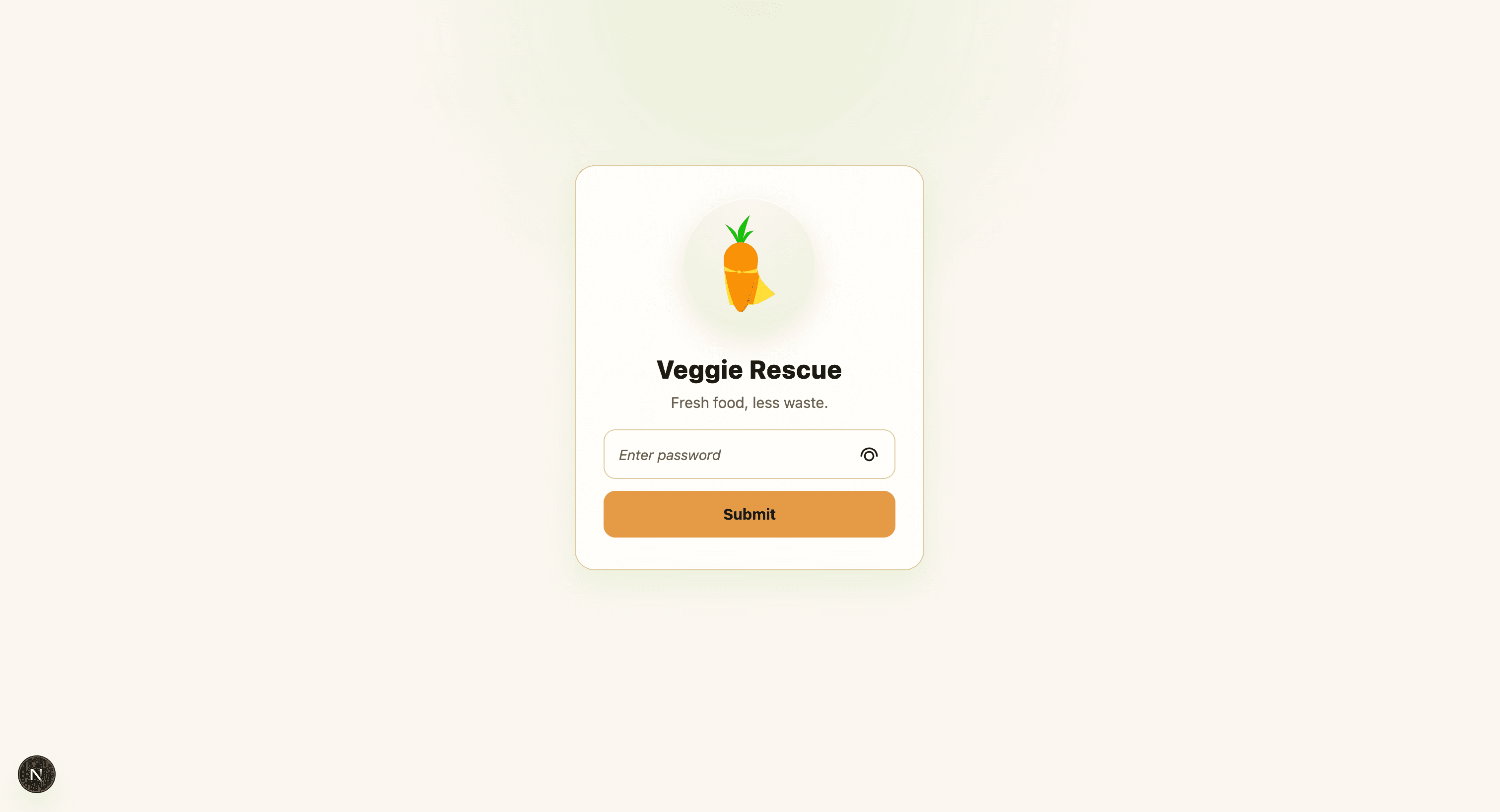
Staff access
Staff enter an access code to open the dashboard. I worked on the access page styling and the interface states that explain when records are loading, unavailable, or unable to refresh.
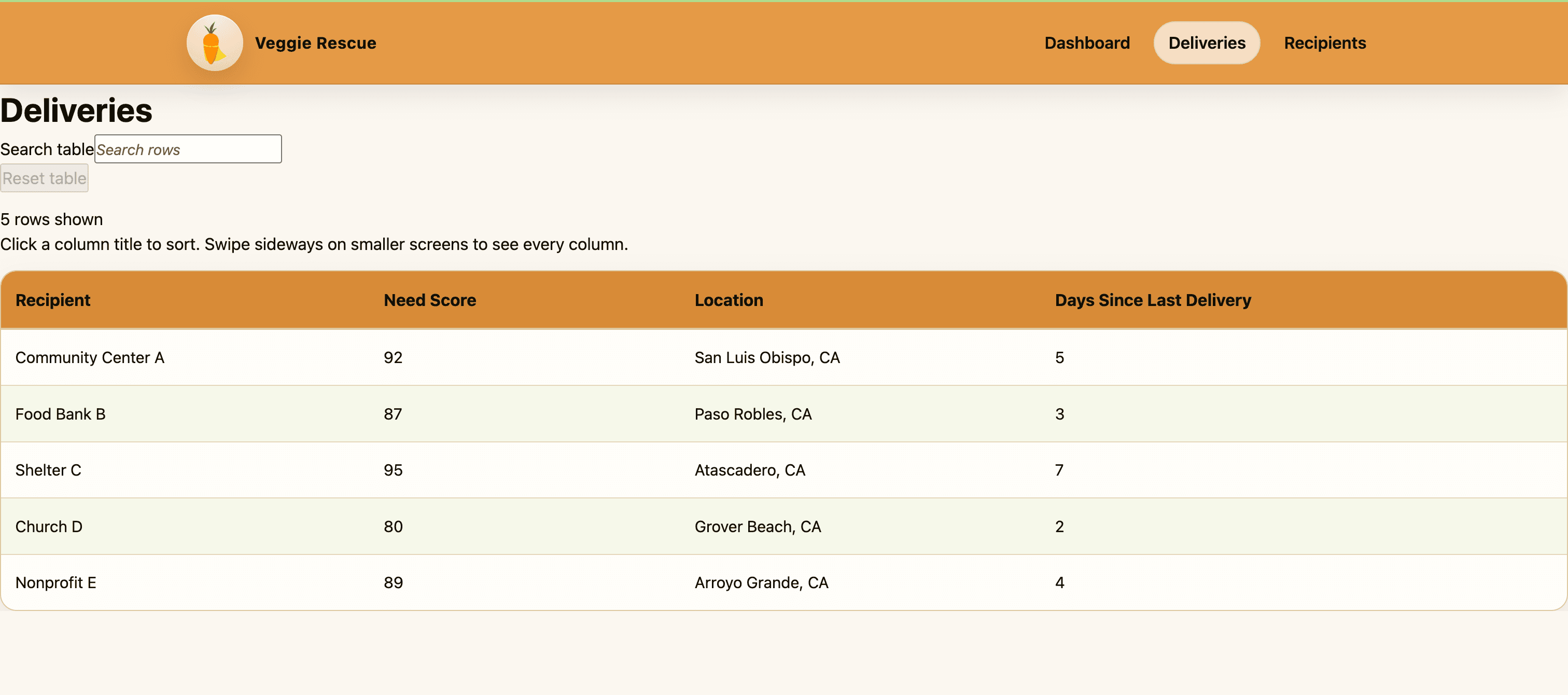
Delivery recommendations
The backend uses a weighted need score to suggest up to five nonprofits. Staff make the final delivery decision. The queue interface shown below is a prototype with sample organizations; connecting it to the scoring API is still a next step.
engineering decisions
Google Sheets was already part of the daily routine. I implemented the Sheets integration through an Express API that reads and organizes records for the Next.js dashboard, so drivers can keep using Jotform and Sheets while staff get a clearer view of the information.
- Jotform
- Google Sheets
- Express API
- Next.js dashboard
I added search, sorting, and status messages to the initial table, then refactored the table components to bring those behaviors together. I also implemented the recommendation backend and queue interface; connecting the queue to live recommendations is still a next step.
- Days since last delivery
- 35%
- Recipient priority
- 25%
- Pounds received this month
- 20%
- Deliveries this month
- 15%
- Delivery frequency
- 5%
The algorithm uses the median and standard deviation to compare values, treating missing fields as neutral. These weights describe the calculation, not measured impact. Capacity, food types, opening hours, and routes still need staff judgment.
results & next steps
I built a dashboard connected to Google Sheets, searchable and sortable delivery records, and the delivery recommendation backend and queue interface. My team and I turned the staff’s needs into a tool they could use alongside their existing Jotform and Sheets workflow.
Staff could look up a nonprofit, compare delivery history, and see how much food it had received in one place. The dashboard gave them a clearer view of the records they were already collecting, without changing how drivers logged deliveries.
Veggie Rescue staff tested the dashboard and are still using it today. For the employee coordinating deliveries, this meant having a place to search and compare records instead of manually organizing spreadsheet rows to find the same information. They could see who had received food and who had been waiting, then use their knowledge of each organization to plan the next delivery.
That is the result I’m most proud of. I built something for the people doing this work every day, and they continue to use it. Seeing the dashboard become part of their routine made the project feel worthwhile.
My team and I left notes on the MVP and the work still ahead for the next developers. I want them to be able to pick up the project, understand what has been built, and keep improving it as the staff’s needs change.
Next steps include connecting the recommendation queue to live data and expanding reporting. My team and I explored flexible date ranges, donation trends, funder reports, and a report archive. I hope the next developers use the notes and the existing dashboard as a starting point to take those ideas further.
Screenshots show sample data. Staff testing and continued use confirmed in October 2026; technical details reflect the April 28, 2026 code review.