my projects

ideas that got a little out of hand

my digital wall of creations

Virgil logo

Virgil

Senior project · Healthcare

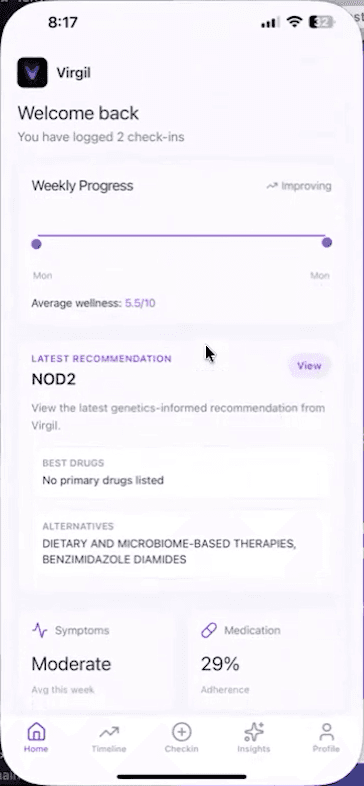
A mobile app for tracking IBD symptoms, medication, and patient history. My team and I built a senior-project prototype to bring daily check-ins and health history into one place. This is my favorite project I’ve built.

  • React Native
  • TypeScript
  • Supabase
  • PostgreSQL
  • Flask
Virgil mobile dashboard from the prototype recording
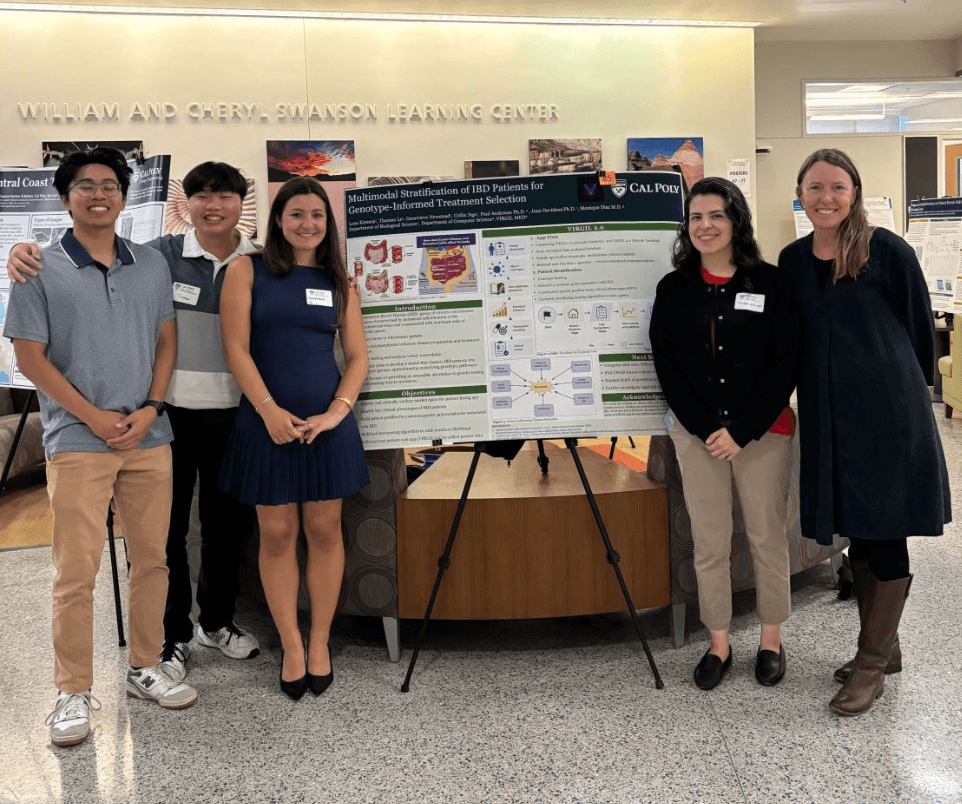
Virgil team with the research poster at Cal Poly
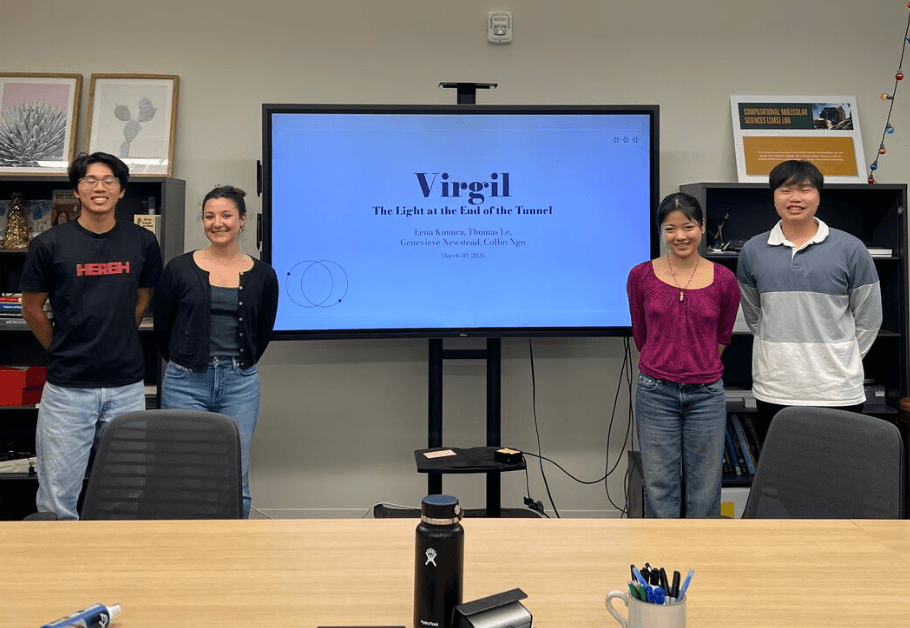
Virgil team presenting the capstone project
OncoGraph logo

OncoGraph

Bioinformatics · Full stack

I took a cancer gene research project and built a pipeline and dashboard around it. It uses gene networks to find candidates worth exploring, then lets you dig into the results.

  • Python
  • FastAPI
  • NetworkX
  • Scikit-learn
  • PostgreSQL
  • Docker
  • Next.js
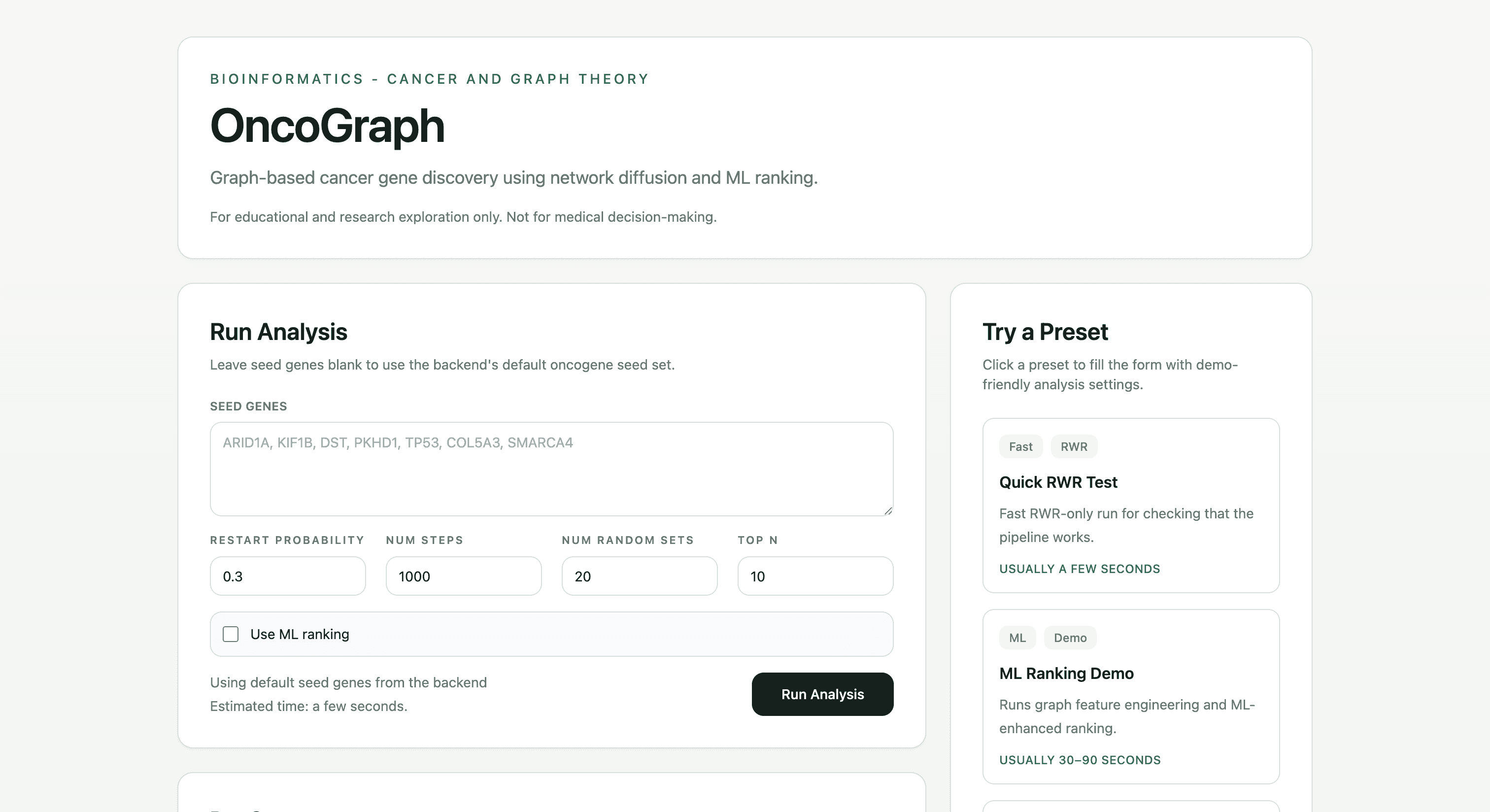
OncoGraph dashboard screenshot
Systems Optimization Club logo

Systems Optimization Club × Tesla

Student consulting · Mobile full stack

Built map, search, and parking interfaces for a React Native commute-planning prototype. My team and I collaborated with Tesla stakeholders through Cal Poly’s Systems Optimization Club to bring commuting resources into one experience.

  • React Native
  • TypeScript
  • Google Maps API
  • Figma
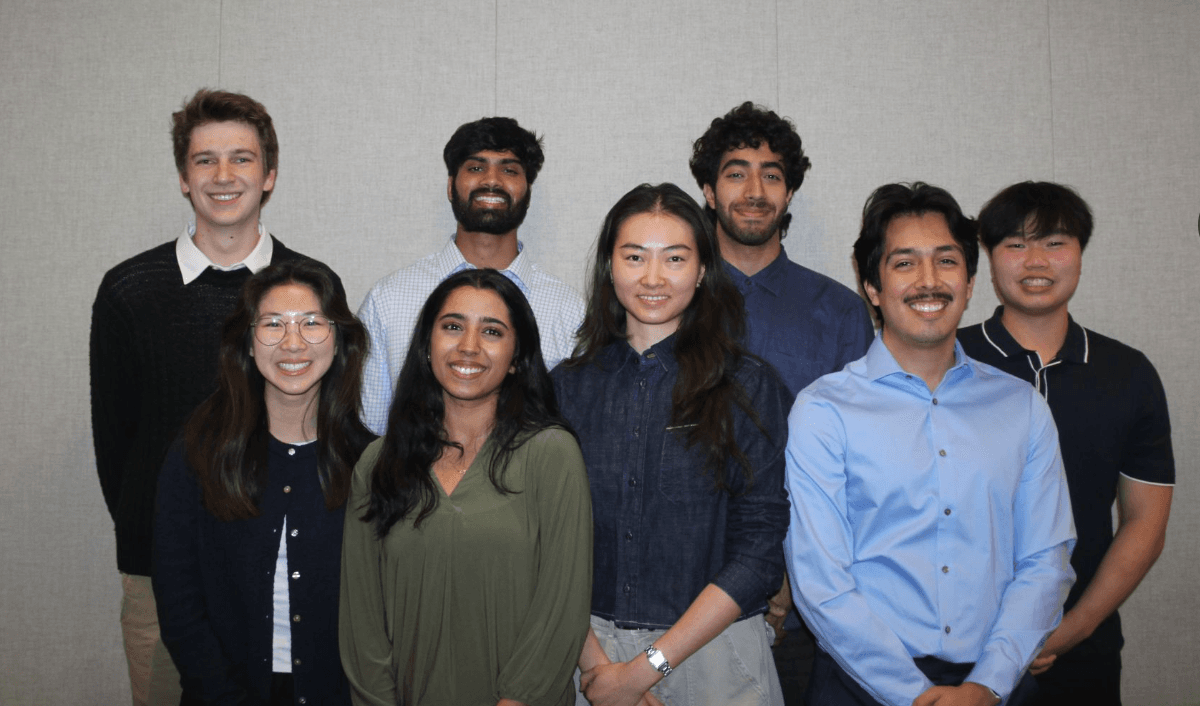
Members of the Systems Optimization Club team for the Tesla commute-planning collaboration.
The SOC team behind the Tesla commute-planning collaboration.
Read project details

context

Through Cal Poly’s Systems Optimization Club, my team and I collaborated with Tesla stakeholders on a centralized commuting application for Bay Area employees. The project brought together a student development team, designers, and industry stakeholders.

The problem was fragmented transportation information and pressure on employee parking. The intended experience gave employees one place to compare driving, biking, public transit, and company shuttle options, with parking information available alongside those choices.

my role

As a React Native frontend developer and student consultant, my responsibility was to turn the designs into usable mobile interfaces and build shared foundations that the development team could extend. Over six months, that work covered:

  • Centralized theming: Built shared color, spacing, and typography values using theme objects, React Context, and a custom theme hook.
  • Map interface: Built a full-screen map, connected it to navigation, and added temporary floating controls for incremental development.
  • Reusable components: Implemented transportation icons, mode tabs, search controls, favorite icons, parking warnings, and parking details from Figma designs.
  • Search interactions: Built the expanding destination interface, Home and Work shortcuts, office selection, and alphabetically ordered favorites UI.
  • Parking details: Refined occupancy percentages, spacing, and navigation interactions, with Figma comparisons and iOS simulator checks.
  • Appearance preferences: Implemented infrastructure for light, dark, and system settings, using MMKV for local preference storage.

engineering decisions

A shared theme instead of repeated styles

Colors, spacing, and typography were repeated across screens. I researched styling approaches and chose a lightweight theme-object and Context structure that fit the existing app. Components could read from the same values, so a visual change had a shared place to start.

The work involved gradually replacing duplicated styling while preserving the existing interactions. That mattered in a team project: the frontend needed to stay usable as other developers continued building.

Reusable UI with explicit inputs

The Figma designs repeated patterns across transportation modes, destinations, and parking. I turned those patterns into components with props for their configuration and actions, giving the team common building blocks for new screens.

The search and favorites work covered frontend interactions and sorting. Backend persistence for favorites was a separate integration concern. The map controls also began as temporary UI while the associated state logic was still being developed.

Clear parking information in the prototype

I refined the parking interface and percentage calculations so the values and interactions matched the intended design more closely. This used simple arithmetic and prototype data. The work also involved checking navigation targets and testing the interface in the iOS simulator.

The appearance-preference work established infrastructure; adoption across every screen and the final merge state were not independently verified in the supplied report.

team architecture

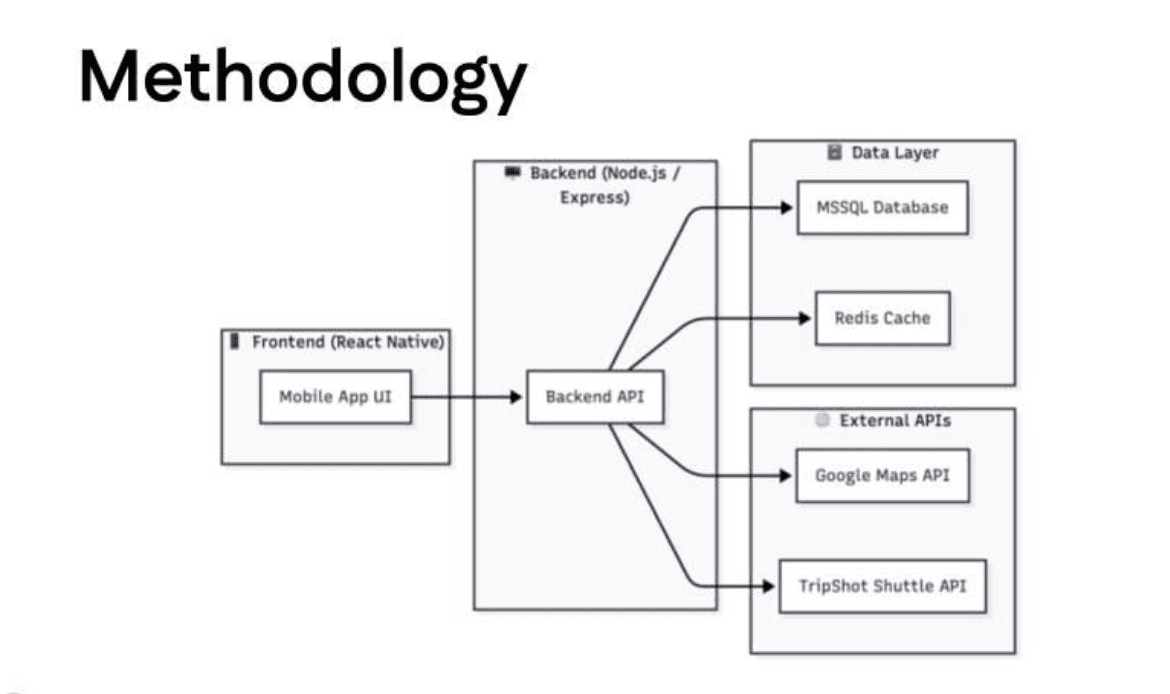
Team methodology diagram connecting the React Native mobile UI to a Node.js Express backend, Microsoft SQL Server, Redis, Google Maps, and TripShot.
The architecture image supplied from the team presentation. It shows the wider system design, including data and API integrations; it is not a verified production-deployment diagram.

My work focused on the React Native frontend. The broader team architecture connected that client to Node.js and Express services, Google Maps and TripShot data, and an MSSQL/Redis data layer. Those backend and infrastructure responsibilities belonged to the wider project team.

results

My team and I developed a centralized commuting platform and prepared it for handoff. The club’s public announcement describes routes, schedules, commute alternatives, favorites, and administrative capabilities, with future integration into Tesla One as the continuation path.

My contribution gave the frontend a shared theme, reusable components, and map, search, and parking interfaces that the team could build on. That made visual consistency and future changes easier to manage through shared code.

The platform was intended to improve access to commute resources and support alternatives to driving. A production rollout, employee adoption, and measured reductions in parking congestion or commute times were not established in the supplied evidence.

what I took away

This project made me think about the people who would build on my code. A theme or component needed to make sense to the next developer as well as the screen I was working on.

Working with designers, other developers, and Tesla stakeholders taught me how much coordination goes into bringing a mobile application together. I’m proud of the interfaces I built, and of the shared foundation that made the frontend easier for the team to continue developing.

Hack4Impact logo

Hack4Impact · Heritage Tree Foundation

Nonprofit collaboration · Full stack web app

Built announcement creation, inbox retrieval, and recipient selection for a nonprofit’s heritage-tree inventory application. My team and I developed the platform through Hack4Impact Cal Poly.

  • Next.js
  • TypeScript
  • MongoDB
  • Chakra UI
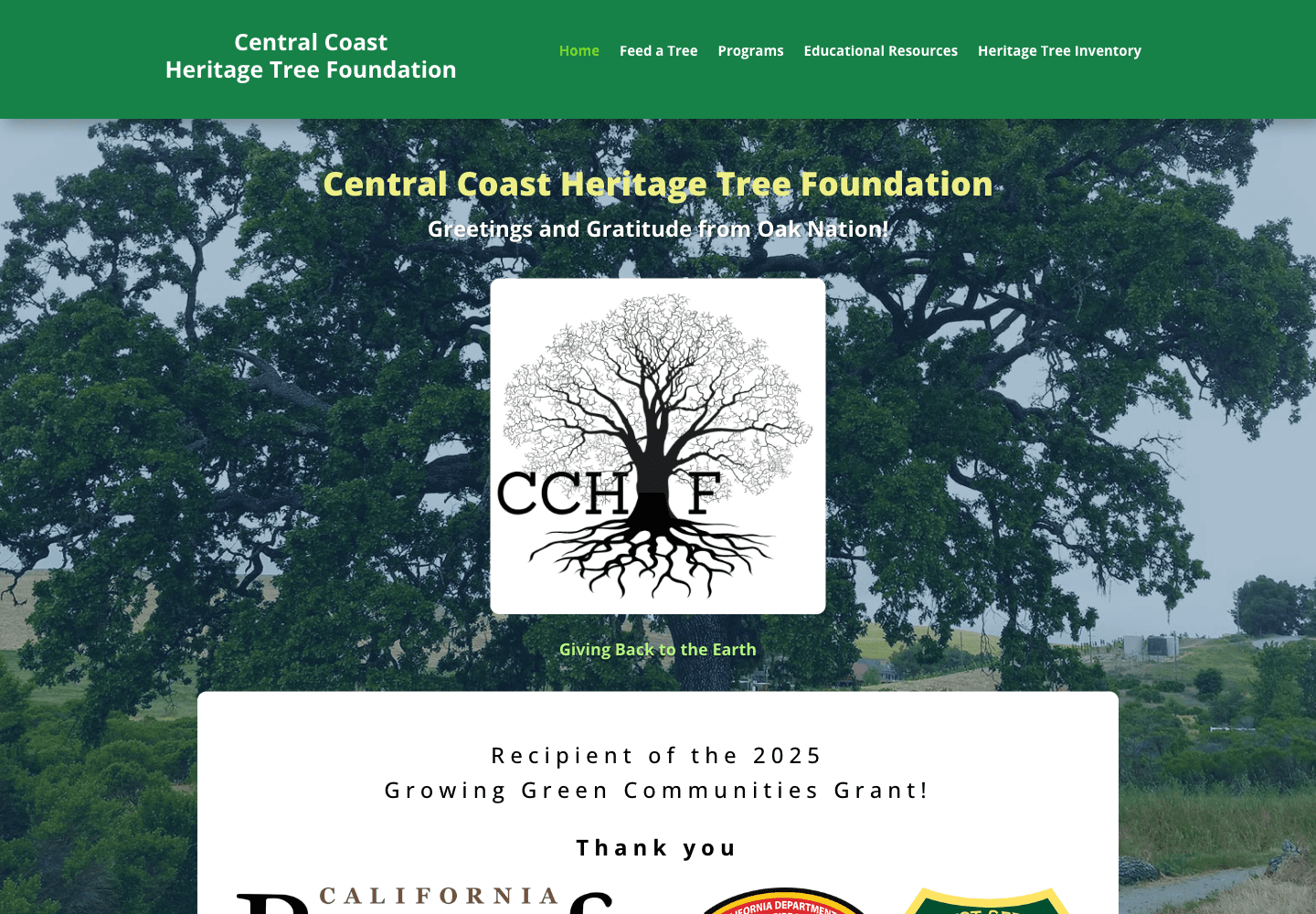
Central Coast Heritage Tree Foundation public website
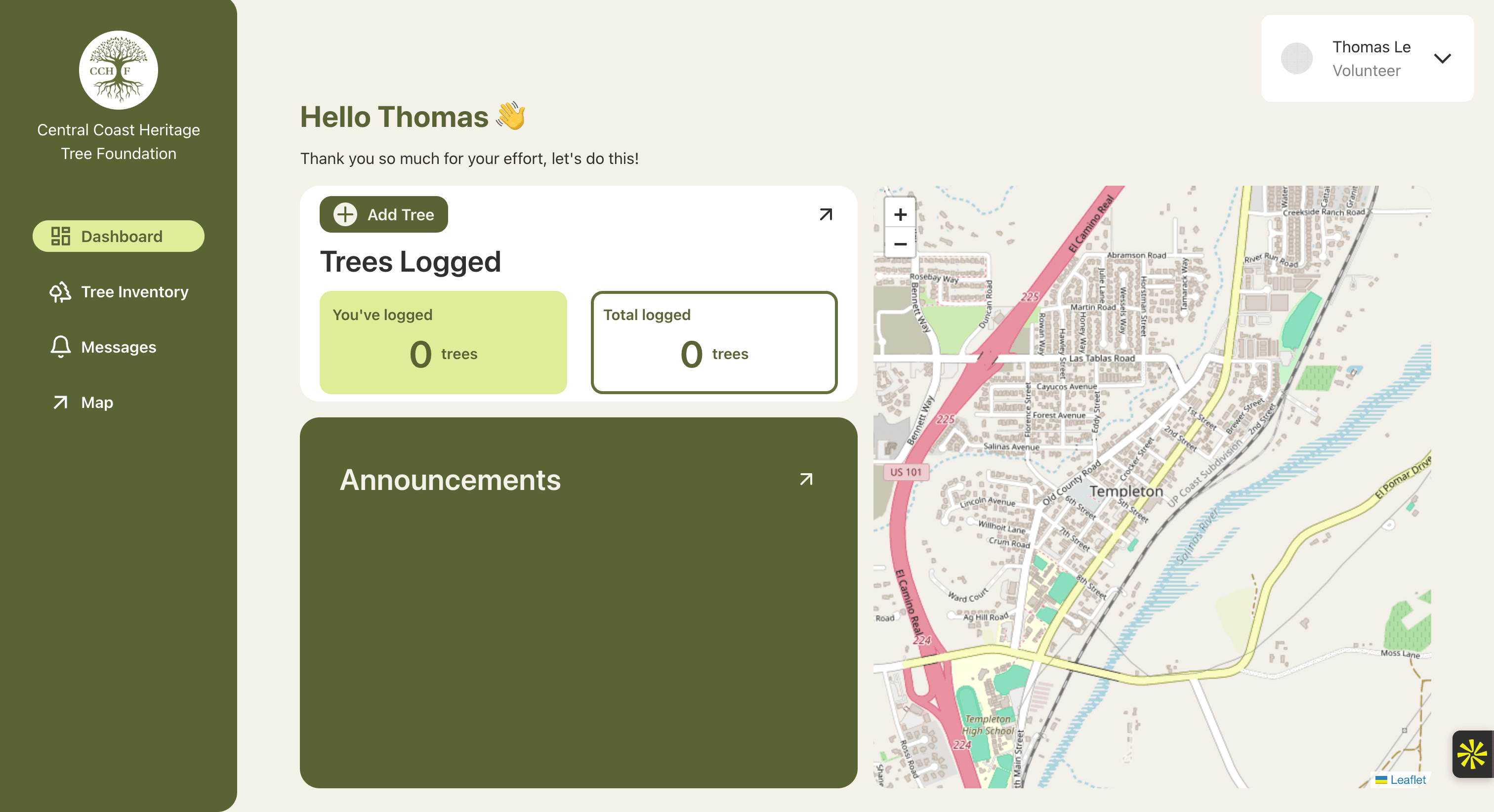
Heritage Tree inventory app dashboard with tree counts, announcements, and a map
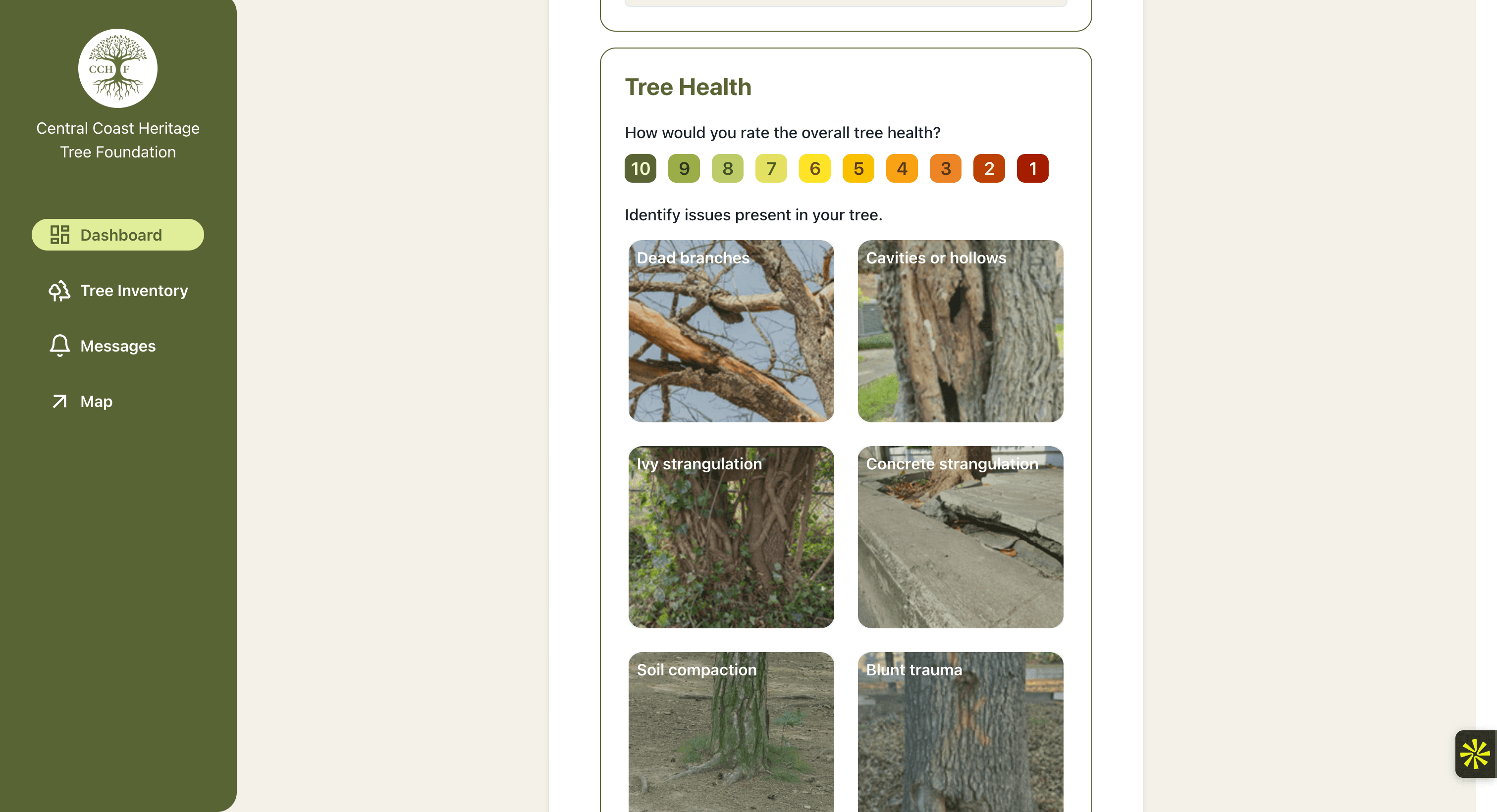
Heritage Tree inventory app tree-health form with a rating scale and illustrated issue selections
The foundation’s public website, followed by the inventory application’s dashboard and tree-health form.
Read project details

context

Central Coast Heritage Tree Foundation logo

The Central Coast Heritage Tree Foundation works to preserve and restore heritage oaks around Templeton. Its volunteer inventory work gives the project a concrete purpose: recording observations about trees that the community wants to care for.

Through Hack4Impact Cal Poly, my team and I extended an existing application with tree-entry interfaces, inventory views, geographic exploration, and volunteer announcements. The documented project team included 14 students across development, design, and project leadership.

My main engineering story was connecting announcements all the way through: selecting an audience, saving a message, retrieving it, and opening its details in the application.

my role

As a full stack developer, my responsibility covered early tree interfaces and several iterations of the announcement workflow:

  • Tree-entry prototype: Built form controls, React state, photo selection, and a submitted-data view.
  • Inventory interface: Implemented the Figma-based table layout, styling, pagination, and inventory navigation.
  • Announcement persistence: Connected the composer to a Next.js POST endpoint and updated the MongoDB announcement schema.
  • Database-backed inbox: Replaced demonstration rows with stored messages, sender and subject details, message previews, and a dynamic count.
  • Recipient selection: Implemented directory-based checkboxes, all-user and administrator shortcuts, and submission of selected recipient email arrays.
  • Interface tests: Updated announcement tests alongside the recipient-selection changes.

The complete tree-storage pipeline, map, authentication, and later persistent read/deletion behavior were wider team contributions. The recipient UI used an existing user-directory endpoint.

the announcement workflow

Choose the audience before sending

I replaced manually typed recipients with a selectable list from the application’s user directory. Administrators could choose individuals, select all users, or select administrators. The group shortcut normalized role values so capitalization did not change who was included.

The composer collected a subject and message, then submitted the selected email addresses as recipients. Those addresses identified who the in-app announcement was intended for; this was an application inbox rather than an email-delivery integration.

  1. Select recipients

    Directory checkboxes and group shortcuts

  2. Submit to API

    Sender, recipients, subject, and message

  3. Save in MongoDB

    A stored announcement document

  4. Retrieve in inbox

    Recipient view and message details

The frontend, API, and database connection behind the announcement feature.

Bring stored messages back into the interface

I connected message retrieval to the inbox and replaced hardcoded content with the stored records. Opening a message displayed that announcement’s details, and the interface calculated its count from the retrieved data.

The inbox filtered messages in the browser using the signed-in person’s email. That describes the implemented display behavior; server-side recipient authorization is a separate concern.

engineering decisions

Build the workflow in separate iterations

The first message table used demonstration data for a presentation. Later changes added announcement persistence, retrieval, and directory-based recipients. Each iteration connected another part of the feature instead of treating a finished-looking table as the finished system.

That progression is what I value most about this work: taking a frontend interaction and carrying it through the API and database, then returning the saved information to the person using the app.

Keep targeted announcements focused

The three recipient options covered broadcasts, administrator updates, and selected volunteers without introducing a full chat platform or custom-group system. The directory control made the available recipients visible and removed the need to type their addresses into the form.

Next.js routes and a document model

The Next.js application kept React pages and API routes in the same project. I connected the interface to those routes and used the announcement schema to carry sender, recipients, subject, and content into MongoDB.

An announcement naturally groups related information into one document, including recipient and read-status arrays. MongoDB and Mongoose fit that structure while allowing the models to evolve with the application’s requirements.

The broader platform also used Clerk for identity, S3 for files, and Leaflet with OpenStreetMap for geographic views. Those services explain the application’s setting; the announcement integration and earlier tree interfaces were my contribution.

results

I delivered merged announcement creation, stored-message retrieval, and selectable recipients, alongside the earlier tree-entry and inventory interfaces. The announcement feature progressed from demonstration content to a database-backed workflow.

For administrators, that meant choosing the intended audience from the directory and submitting a stored update. For volunteers, it meant an inbox view for announcements addressed to them. For the development team, the merged work provided a foundation for later message-state and interface improvements.

My team and I contributed to a platform that brings tree information and volunteer communication together. The foundation now links to the hosted inventory application from its public website. The public sign-in page was reachable in October 2026; authenticated use and adoption figures were not verified here.

what I took away

This project gave me experience following a feature through the full stack. A form needed somewhere to save its data, and the inbox needed to show the saved message back to the right person. Getting those pieces connected was the part I’m proudest of.

Building through issues and pull-request reviews also taught me to keep the next iteration in mind. My team and I were developing for a nonprofit, and the work needed to be understandable enough for other developers to review and continue. Seeing the software connected to local conservation work made that responsibility meaningful to me.

LA Hacks logo

Roblox Scam Awareness

LA Hacks 2026 · Hackathon

My first Roblox game, built with my team in 24 hours at LA Hacks 2026. In Don’t Get Scammed, players set out to rescue Grandma through an obstacle course full of fake links, suspicious Robux offers, password puzzles, impersonators, and AI-generated art. Every wrong turn comes with feedback explaining what made the choice unsafe, helping kids build online-safety instincts as they play. A crash course in Roblox Studio, Lua, and just how much debugging one door can need.

  • Roblox Studio
  • Lua
  • UI Scripting
  • Gameplay Systems
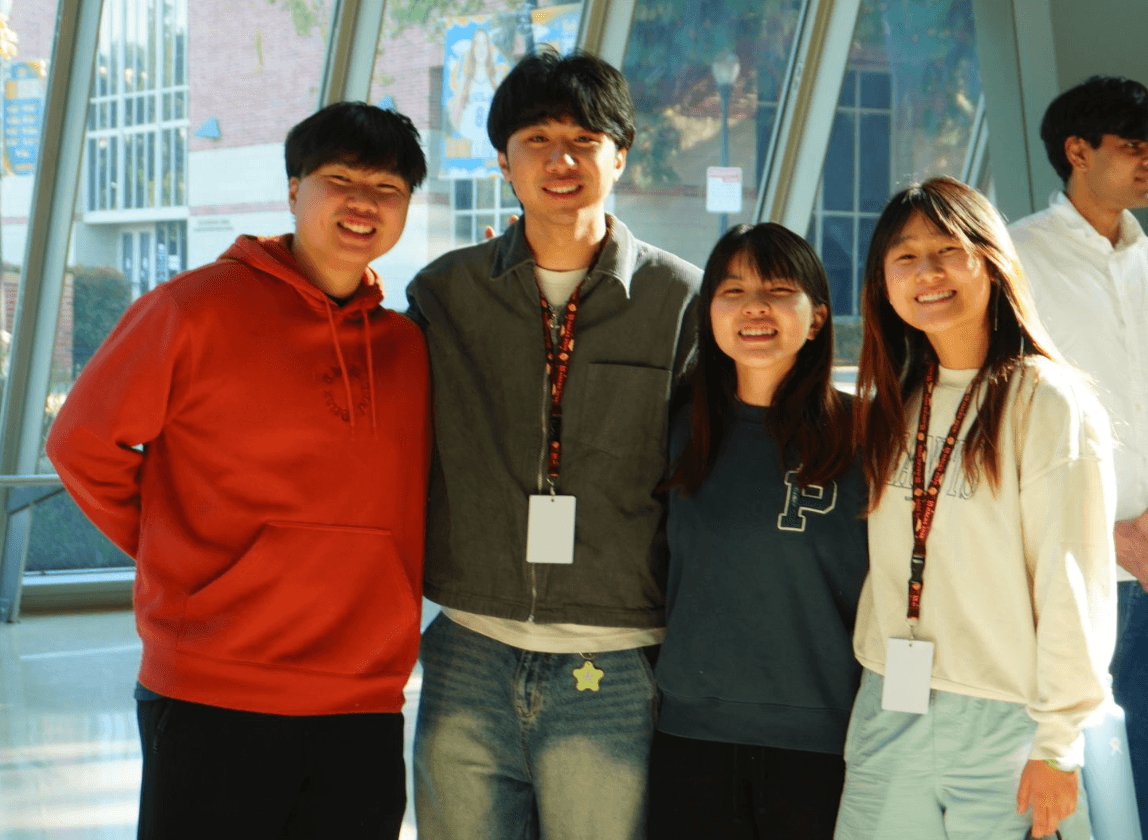
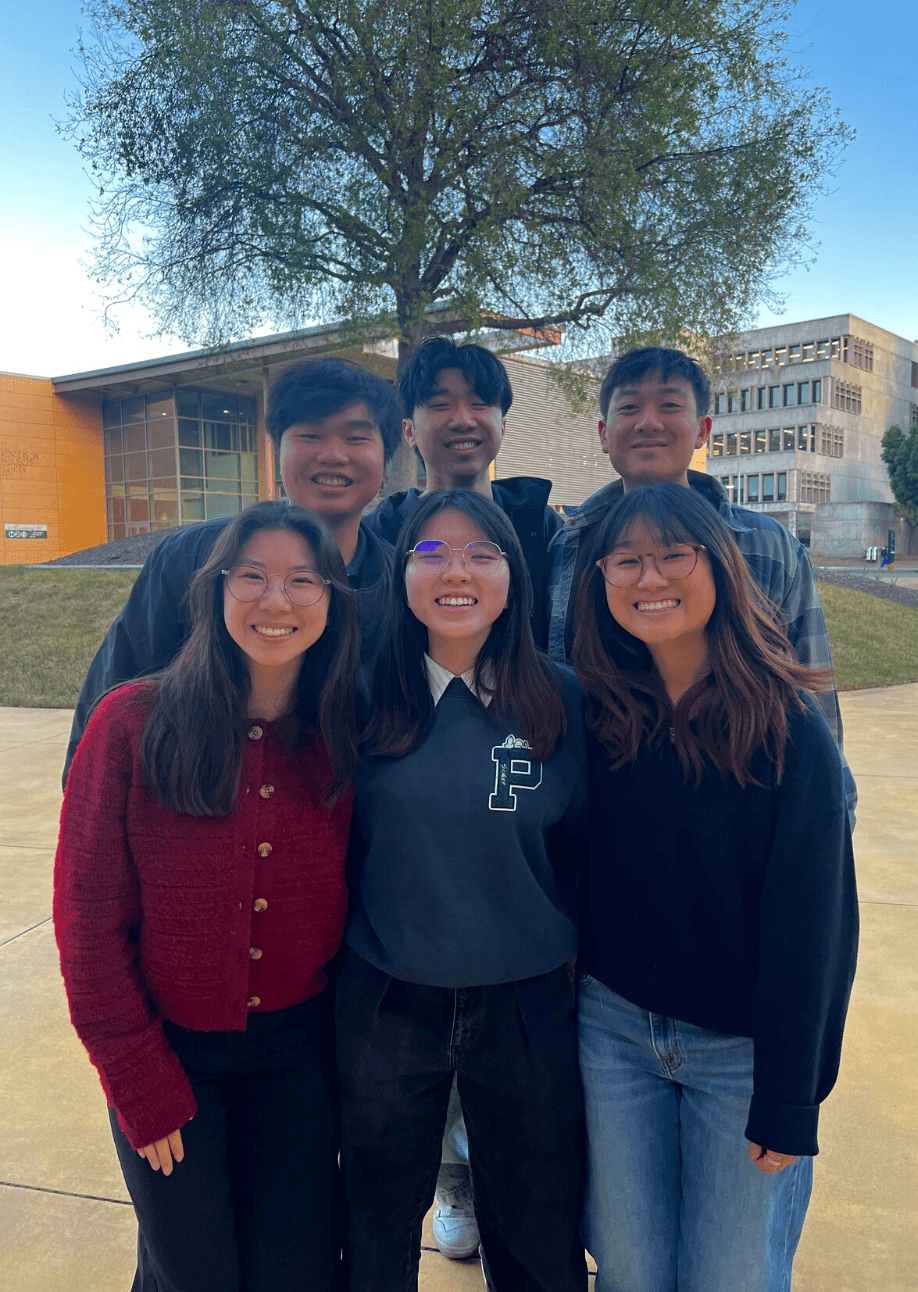
Our team at LA Hacks 2026
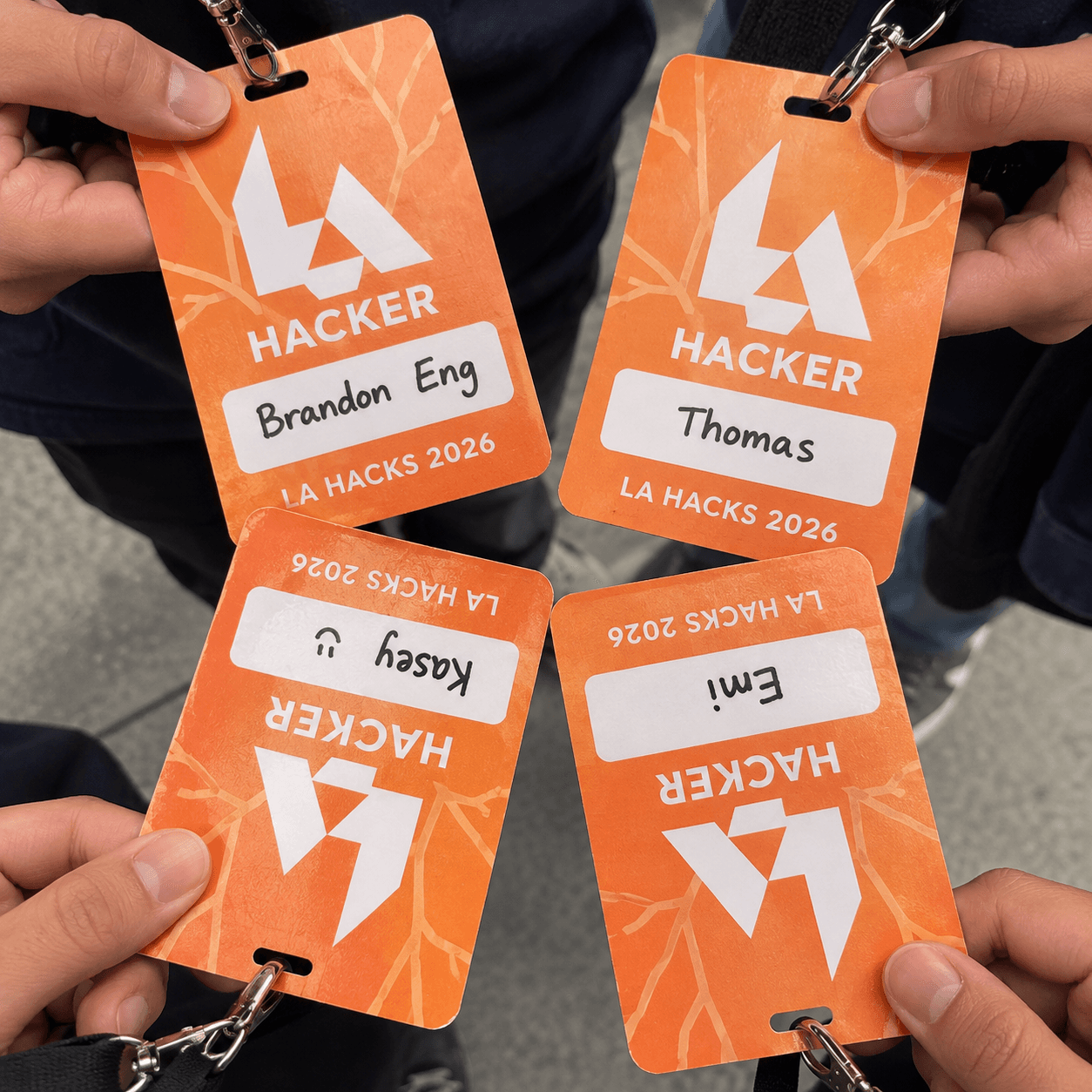
AI recreation of our LA Hacks 2026 badges for Brandon, Thomas, Kasey, and Emi
Don’t Get Scammed Roblox game thumbnail
Task Logger beaver logo

Task Logger

PolyPrompt · Hackathon

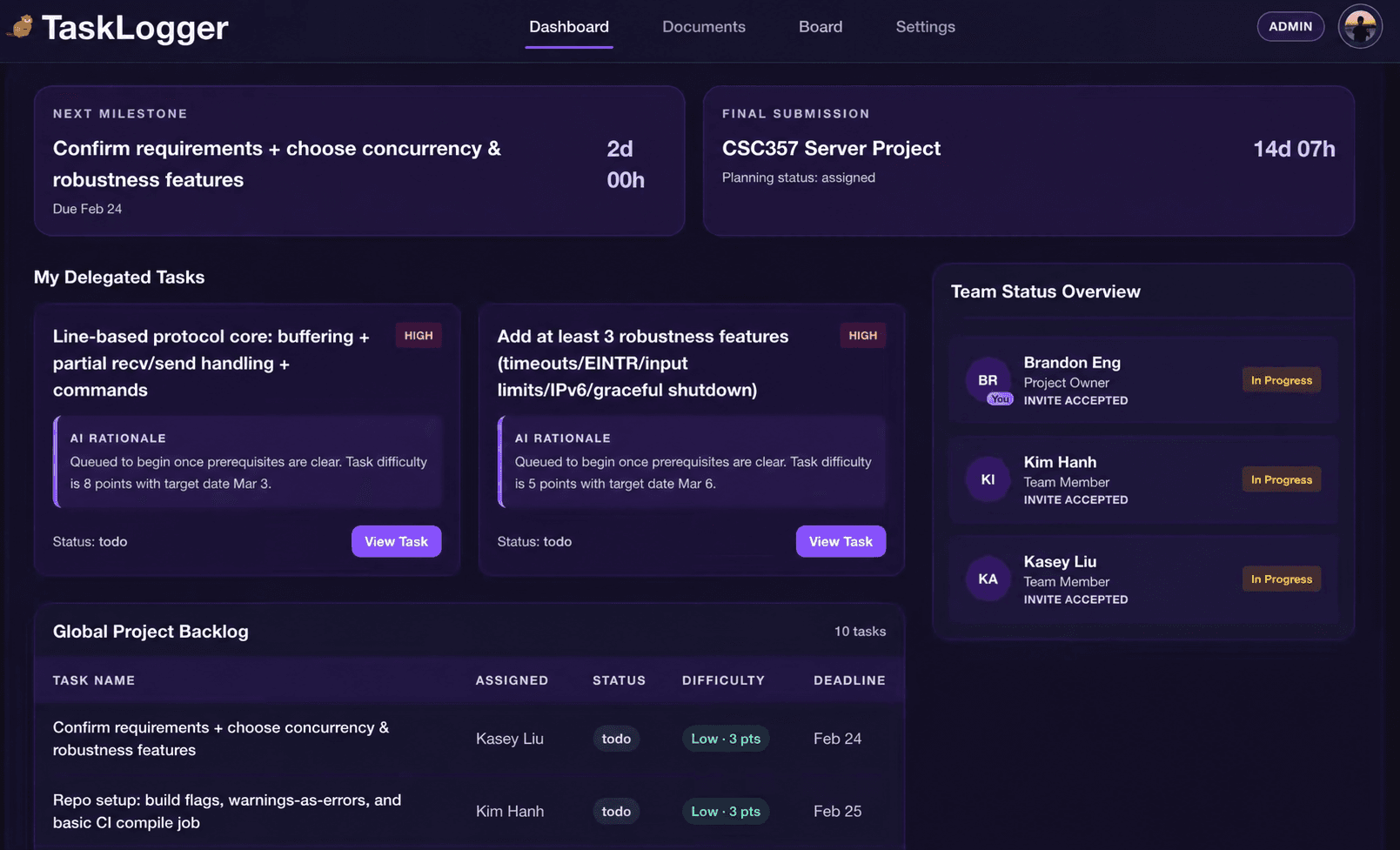
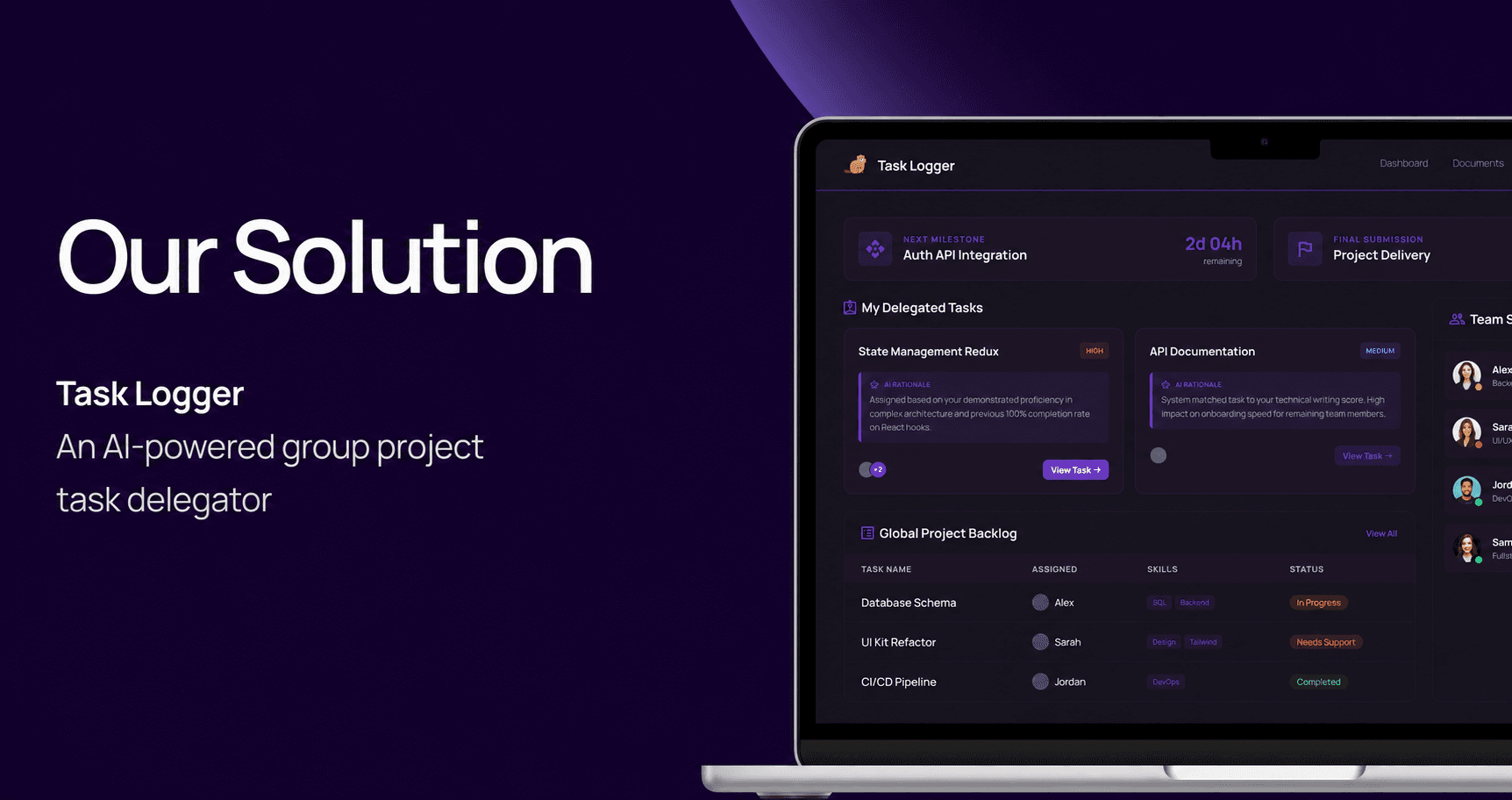
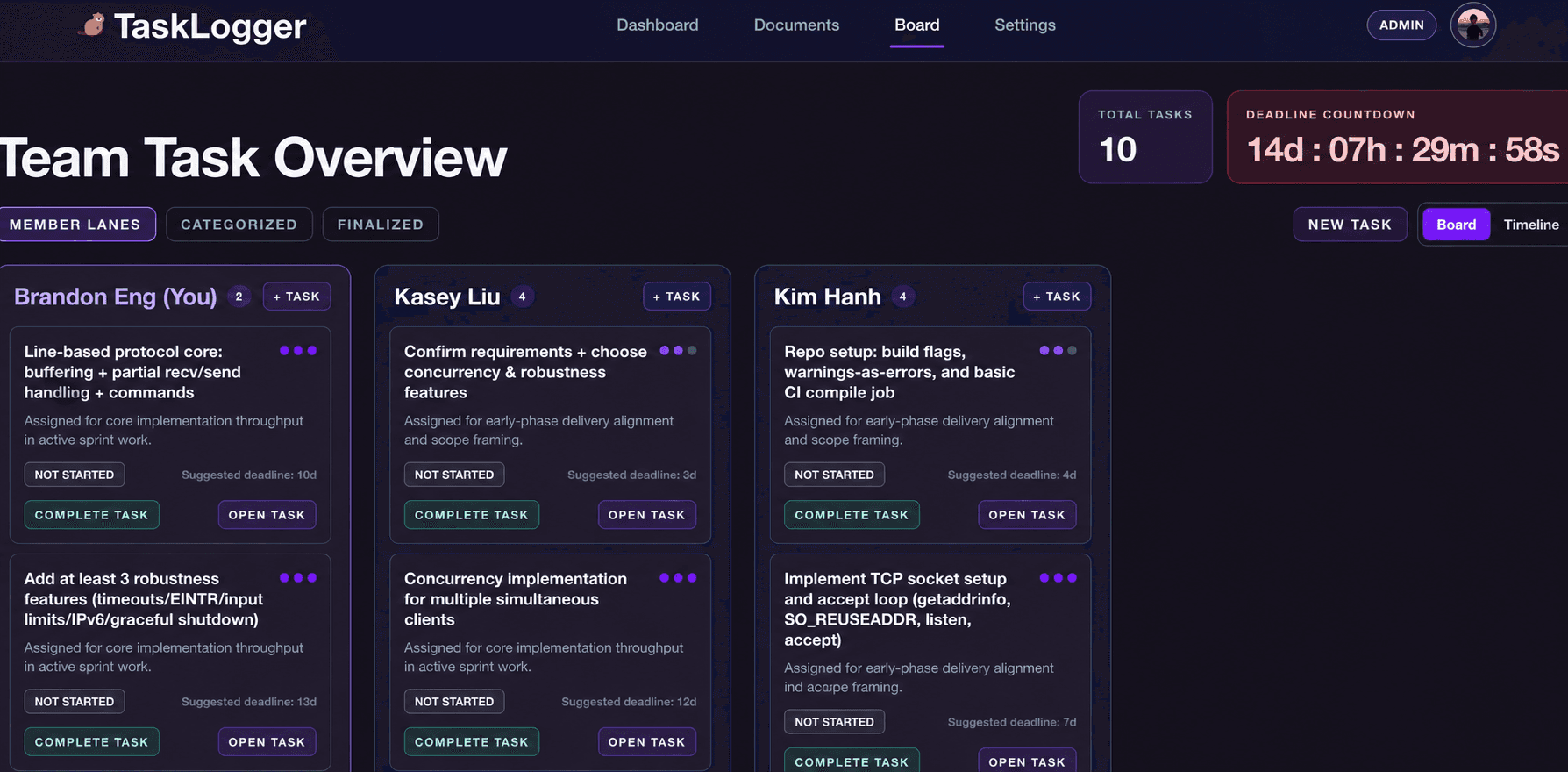
My team and I built Task Logger at the PolyPrompt hackathon to help students divide up group projects. An LLM breaks requirements into tasks, asks clarifying questions, and helps assign work based on skills. We used AI coding agents throughout development, too—a hands-on lesson in agent orchestration, context engineering, and reviewing AI-generated code.

  • AI
  • Task Planning
  • Dashboards
  • Team Workflows
Images 1–3 of 4
Read project details

context

I worked in a team of six, Team CSA, at PolyPrompt, Cal Poly’s weekend-long OpenAI hackathon. The challenge was to create an AI-powered product for student life. In the Studying category, my team tackled the “group project nightmare”: uneven workloads, missed deadlines, and unclear responsibilities.

the problem

Dividing a group project can leave workloads uneven, dependencies unclear, and progress hard to follow. The challenge was turning a large brief into manageable tasks with clear ownership.

our solution

Task Logger uses LLM task decomposition to turn requirements into editable tasks. Skills, deadlines, and dependencies guide planning; people review the draft before locking it and running assignment.

I built project setup, skill profiles, and document-intake interfaces, then split planning into separate clarification and task-review pages. I connected the screens to existing APIs and added visible upload progress and error states.

the five agent roles

I worked with a Codex multi-agent workflow with five main agents:

  • Coordinator agent: Wrote a task plan in Markdown and turned it into GitHub issues on the project board.
  • Agent 1 — platform/data: Authentication, database schemas, storage, and core APIs.
  • Agent 2 — AI planning: Clarifying questions, task generation, dependency validation, and assignment logic.
  • Agent 3 — frontend integration: Pages, dashboards, and connecting the UI to backend APIs.
  • QA/reviewer agent: Tested UI behavior, reviewed pull requests, and merged changes after checks passed.

The three implementation agents worked in parallel with role-specific instructions. I also reviewed user workflows by hand and used Codex to adjust behavior; the team stepped in for manual PR review when needed.

the result

I delivered setup, skills, upload, and task-review interfaces for the prototype. The app connects requirements to reviewed tasks, assignments, and shared workflow views, giving the project a foundation for further testing.

what I learned

  • Agent orchestration: I learned to split work into small issues with clear ownership. An upload feature involved an API builder, frontend integration, and a separate browser check.
  • Context engineering: I learned why agents need API contracts and handoff notes. The next run needs to know what’s finished, what’s blocked, and what to do next.
  • Parallel development: I learned how Git worktrees give separate Codex sessions their own checkout, so tasks can move forward at the same time.
  • Structured outputs + guardrails: I learned why generated tasks need a JSON schema and dependency checks. A convincing answer can still have missing fields or impossible task relationships.
  • Human-in-the-loop: I learned to make AI work reviewable: editable task drafts for users, pull requests for code, and visible errors or deterministic fallbacks when AI assignment fails.
Luma Leaf logo

Luma Leaf

Personal project · Photobooth

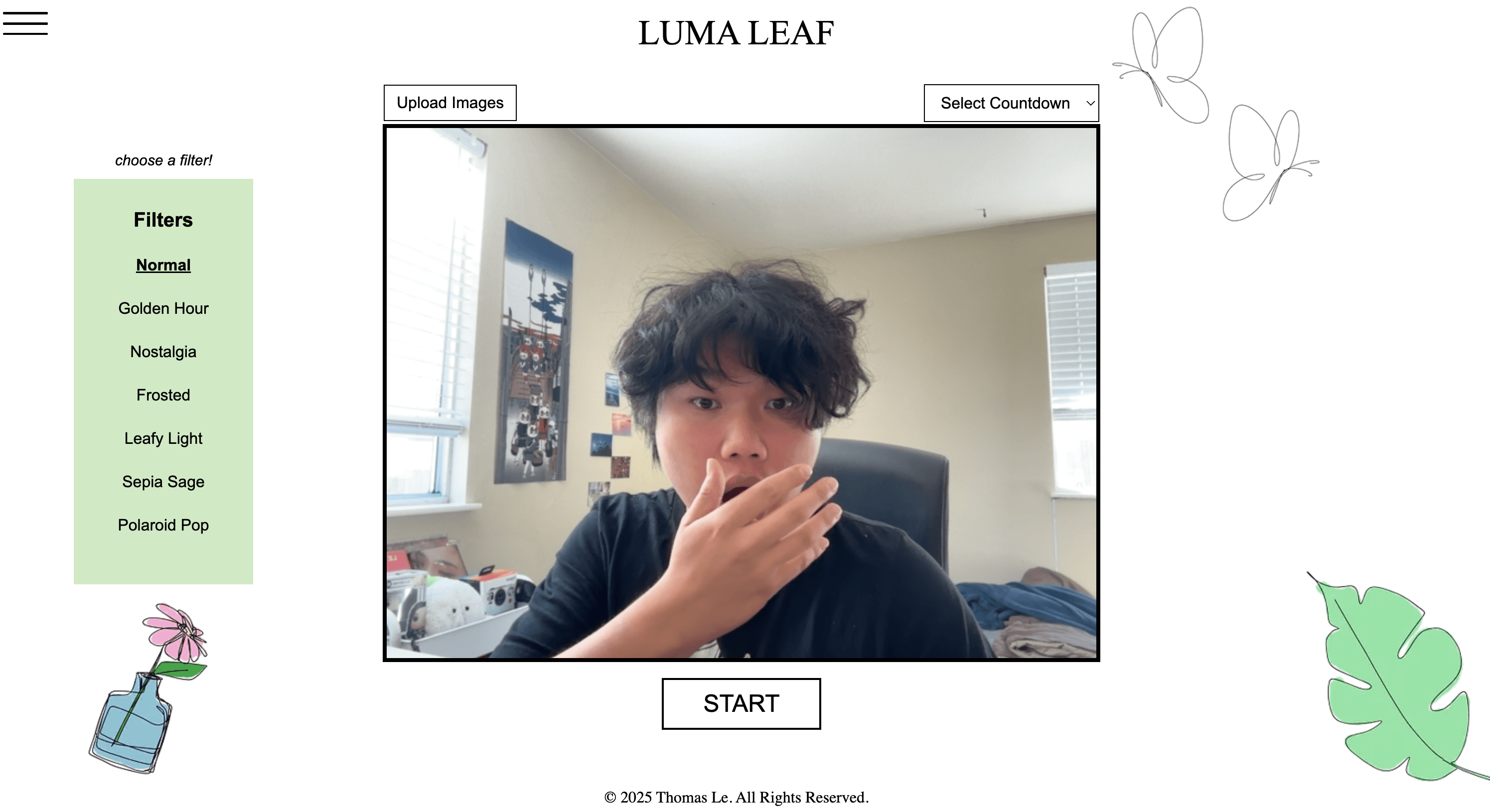
A photobooth that lives in your browser. Take photos, make a strip, and share it with a QR code. A little project that became one of my favorites.

  • React
  • TypeScript
  • Next.js
  • CSS
Luma Leaf photobooth screenshot
Read project details

why I made it

Luma Leaf is a passion project that brings together two things I enjoy: making memories and building software. Inspired by Korean-style photobooths, I wanted a free browser experience that felt simple, playful, and personal—a way to turn a hangout into something you can keep.

the experience

Take four pictures with a countdown and filter, or upload four photos you already have. Then make the strip your own: rearrange the pictures, adjust their colors, choose a frame, and add a sticker theme. Download it as a PNG or create a QR link to share it with a friend.

my contribution

I worked on the software: the camera flow, countdowns, filters, photostrip editor, downloads, and QR sharing. I also improved camera framing, mobile layouts, and dark mode as the project grew. Haixin Huang created the graphics that give Luma Leaf its personality.

how I built it

Next.js, React, and TypeScript power the pages and editing controls; CSS Modules handle the styling. The browser’s camera API captures the photos, and Canvas combines the pictures, decorations, and frame into one downloadable image.

That keeps normal editing and PNG downloads on your device. QR sharing uses a Next.js server endpoint to temporarily hold the finished strip. Those links depend on server memory, so a restart can make them unavailable before their ten-minute expiry.

the result

The project brings capture, editing, and export into one photo experience, with a temporary sharing option. It gives people a way to make a personalized keepsake without needing an account.

what I learned

I learned more about React state, interface design, and image rendering while carrying a personal idea toward deployment. Camera framing, customization, and sharing went through several iterations. The details mattered: keeping photos consistent, carrying edits into the exported strip, and handling sharing limits.

FocusFruit logo

FocusFruit

Personal project · Productivity Pomodoro timer

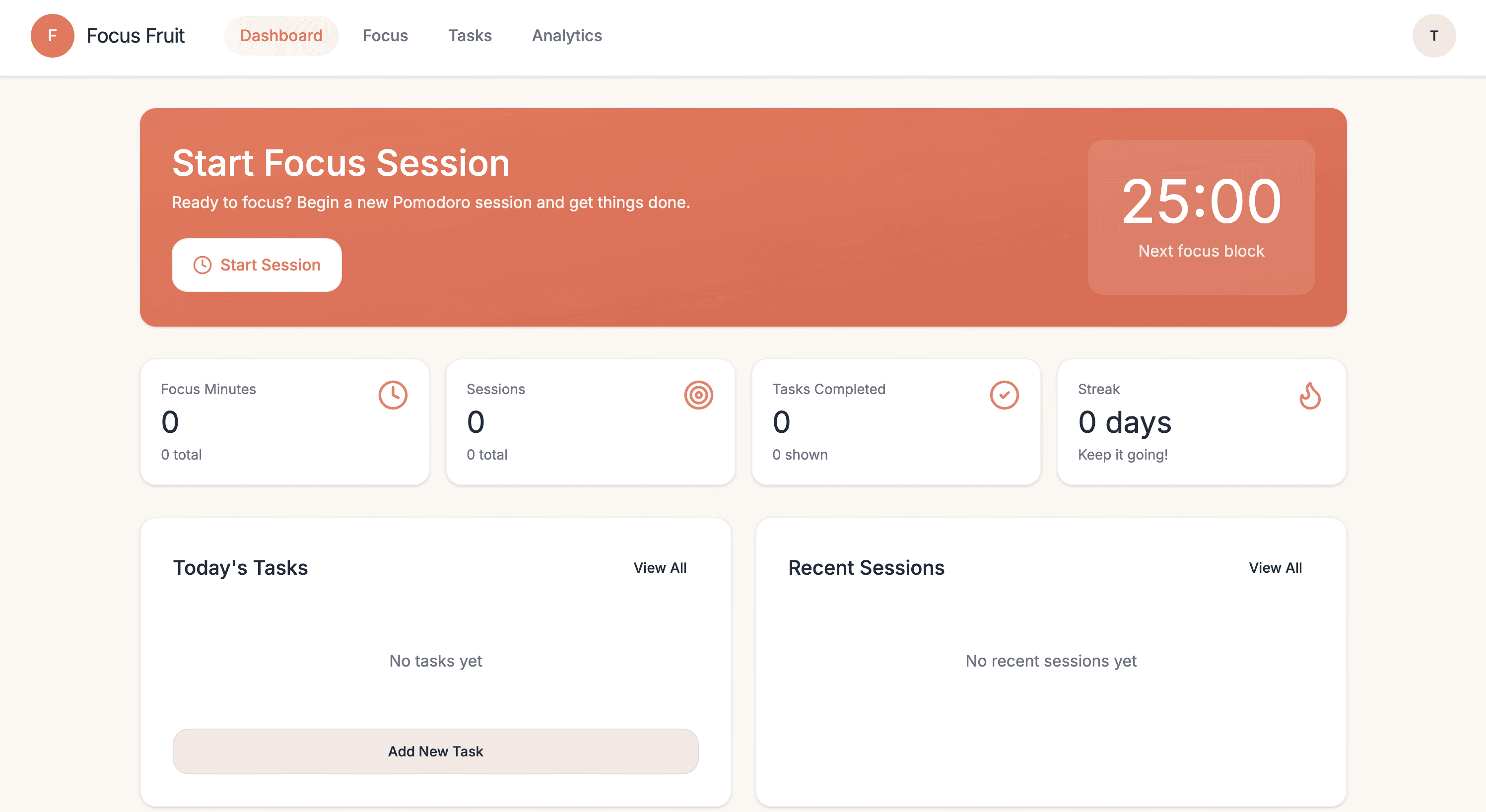
A Pomodoro timer that keeps your tasks and focus sessions in one place. I built FocusFruit to make it easier to settle into a task, take a break, and come back to your progress. Your sessions stay saved, so a refresh doesn’t mean starting over.

  • React
  • JavaScript
  • REST APIs
  • Tailwind CSS
pomodoro

Into the Mind

A small pixel world built with Java and Processing, with hand-made art and characters that change as you interact.

RepNote

A mobile workout planner for logging sets, reps, weights, and notes. Open it and start tracking.

Babesia Life Cycles

Using Hidden Markov Models to explore parasite life-cycle stages through gene expression data.

Yeast Gene Expression

Looking at how yeast changes its metabolism through gene expression, clustering, and a lot of Python.

Vacuum Robot Planner

Teaching a robot to find its way around a grid and clean it, while comparing different search algorithms.

Poker Odds Estimator

Simulating thousands of poker hands to estimate pre-flop odds. A small excuse to play with search, probability, and Python.